Every consultant knows the feeling: it’s 9 p.m., the client meeting is at 9 a.m., and the deck still looks like a rough draft. You have the analysis done, you know the recommendation, but somehow the slides still eat three more hours before they look client-ready.

That gap between “the thinking is done” and “the deck is done” is where most consulting hours disappear. Formatting, aligning boxes, resizing charts, and rebuilding the same slide layout for the third client this month—none of that work actually strengthens your recommendation.
Consultants who automate the repetitive parts of deck building routinely reclaim 10 or more hours a week. That time goes straight back into research, client conversations, and billable strategy work.
This article breaks down where those hours go, how to build a faster brief-to-deck workflow, and how to keep your decks looking sharp, on-brand, and ready for any client—without hiring a designer or learning new software from scratch.
Key Takeaways
- Manual formatting and layout rework quietly consume a huge share of the time consultants spend building strategy decks.
- A repeatable brief-to-deck process, paired with AI tools, can turn hours of slide building into minutes without sacrificing quality.
- Strong brand control and clear governance let consulting teams move fast while keeping every client deliverable polished and consistent.
Where The 10 Weekly Hours Go
Most consultants underestimate how much time goes into the parts of deck building that have nothing to do with strategy. Between structuring findings, formatting spreadsheets into slides, and reworking layouts after every client comment, a single strategy deck can quietly consume a full workday.
Looking closely at a typical consulting workflow shows exactly where those hours leak out.
Turning Raw Inputs Into A Structured Narrative
Every engagement starts messy. You have interview notes, spreadsheets, market research, and half-formed frameworks scattered across documents.
Turning that raw material into a clean executive summary with a clear beginning, middle, and end takes real thinking time. It’s often the first casualty when deadlines get tight.
Many consultants end up building the narrative structure and the slide design at the same time. That’s a mistake!
Separating “what’s the story” from “how does it look” makes both steps faster and produces a stronger final deck.
The Hidden Cost Of Manual Layout And Rework
Formatting is rarely a one-time task. A client asks for a new chart, a partner wants the recommendations moved up front, and suddenly you’re rebuilding slide layouts you already finished.
This back-and-forth is where the real time loss happens—not in the initial draft, but in the endless small revisions after it. Spreadsheets pasted into slides often break formatting entirely, forcing manual resizing and cleanup.
Multiply that across ten or fifteen slides per deck, several revisions per engagement, and multiple client accounts, and it adds up fast. Teams that track their hours honestly often find that layout rework alone eats several hours a week.
Why Client-Ready Quality Cannot Be Automated Blindly
Speed matters, but a strategy deck that looks polished with weak or inaccurate content does more harm than good. Automating the formatting side of the workflow only pays off if the underlying findings, risks, and recommendations stay accurate and specific to the client.
The goal isn’t to remove human judgment from the process. It’s to remove the busywork so more time goes toward checking numbers, sharpening recommendations, and making sure the deck actually reflects the client’s situation.
A Repeatable Brief-To-Deck Workflow
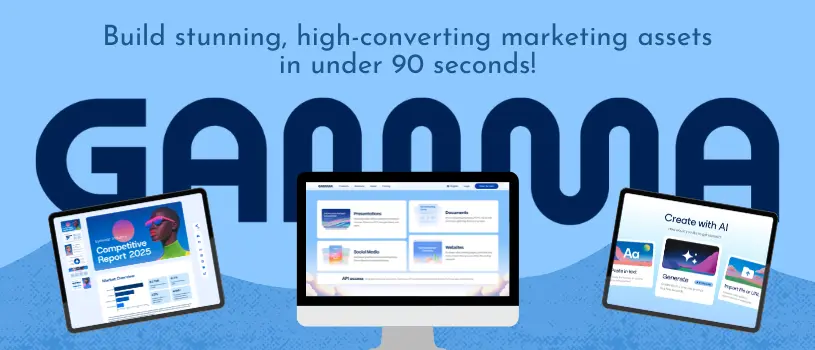
A consistent process turns deck building from a scramble into something predictable. Using an AI presentation tool like gamma ai, consulting teams can move from raw notes to a structured first draft in minutes.
Then you can spend your remaining time on review and refinement rather than layout work.
Define The Audience, Decision, And Desired Outcome
Before opening any AI presentation maker, get clear on three things: who is reading this deck, what decision they need to make, and what you want them to do next. A board audience needs a different level of detail than a working team reviewing implementation steps.
Writing this down first, even in a single sentence, keeps the deck focused. It also gives you a clear standard for cutting slides that don’t support the decision at hand.
Convert Notes And Analysis Into A Decision-Led Story
Once the goal is clear, organize your raw notes and analysis around a decision-led structure: problem framing, current state, analysis, options, recommendation, and action plan.
This structure works for nearly every consulting deliverable, from a quick internal update to a full client proposal. Feeding this structure into an AI presentation tool speeds up the first draft significantly.
Instead of starting with a blank slide, you start with an outline that already reflects how consultants think through a problem.
Generate A First Draft Without Starting From A Blank Page
This is where AI presentations save the most time. Tools built for this workflow, including gamma agent features, can take a prompt, outline, or set of meeting notes and generate a structured draft with layout, spacing, and visual consistency already handled.
What used to take an afternoon of slide building can take a few minutes. That first draft won’t be perfect, and it shouldn’t be treated as final.
Think of it as a strong starting point that replaces the blank page, not a replacement for your judgment about what the client actually needs to hear.
Review Claims, Numbers, And Recommendations Before Sharing
No draft goes to a client without a careful review. Check every number against your source data, confirm that recommendations match the analysis, and make sure the narrative flows logically from problem to action.
A short checklist helps here:
- Confirm data sources match what’s shown on each slide
- Read the deck start to finish as if you’re the client
- Check that every recommendation ties back to evidence in the deck
- Verify formatting stayed consistent across sections
Treating AI presentations as a first-draft accelerator, not a final-answer machine, keeps consulting deliverables and client proposals trustworthy while still saving hours on production.
Designing Strategy Decks That Clients Can Act On
A strategy deck only works if the client can act on it after you leave the room. That means using a clear narrative arc, presenting data in formats people can scan quickly, and adjusting the level of detail depending on who’s reading.
These same principles apply whether you’re building a sales deck for a prospect or a full strategy presentation for an executive team.
Use A Clear Problem-To-Action Narrative
Strong strategy decks follow a simple arc: here’s the problem, here’s what we found, here’s what we recommend, here’s what happens next. Skipping straight to recommendations without framing the problem loses the audience, while dwelling too long on analysis loses their attention.
Each slide should answer one question and point toward the next. If a slide doesn’t clearly connect to the decision the client needs to make, it probably belongs in an appendix instead of the main deck.
Make Frameworks And Data Easy To Scan
Dense spreadsheets and walls of text slow readers down and bury your best insights. Turning key data points into infographics, simple charts, or visual frameworks helps executives grasp the finding in seconds rather than minutes.
This matters just as much for sales decks and sales teams pitching a B2B SaaS product as it does for a strategy consultant presenting quarterly findings. Any presentation maker that automatically formats charts and timelines removes a repetitive task and keeps the visual quality consistent across every slide.
Tailor The Same Analysis For Executives And Working Teams
The same research often needs to serve two different audiences. Executives want a short summary with clear implications and a recommendation.
Working teams need the detail behind that recommendation, including assumptions, risks, and next steps. Building a longer master deck first, then trimming it down for the executive audience, tends to work better than starting with a short version and trying to expand it later.
It’s easier to cut detail than to add strategic depth after the fact.
Maintaining Brand Control And Team Collaboration
Speed only helps if the output still looks like it came from your firm, not a template someone downloaded overnight. Locking in brand guidelines early, using a shared brand kit, and setting clear collaboration rules keep every deck consistent, even when multiple team members are contributing under a deadline.
Apply Brand Guidelines From The First Draft
Waiting until the end to “make it look on-brand” wastes time and often results in inconsistent decks. Applying your logo, colors, and custom fonts from the very first draft means less rework later and a more professional look for every client presentation, from proposals to internal reviews.
Tools that support a saved brand kit make this step almost automatic. Once the guidelines are set, every new deck starts already aligned with your firm’s visual identity.
Standardize Themes, Logos, And Typography
Consistency across a consulting team matters just as much as consistency within a single deck. If one team member uses a different font or logo placement than another, clients notice—especially on larger engagements with multiple workstreams.
Setting one standardized theme for the whole team, rather than letting each consultant build their own style, prevents this problem before it starts. Paid plans like Gamma Pro typically include the brand kit and custom font features needed to enforce this at scale.
Coordinate Edits Without Version Confusion
Nothing slows a team down faster than three people editing three different versions of the same deck. Real-time collaboration tools solve this by letting everyone work from one live file instead of emailing attachments back and forth.
Setting clear edit, view, and comment permissions also prevents accidental changes to a near-final deck. Even on a free plan with limited AI credits, most teams can test this collaborative workflow before committing to a paid tier.
Choosing The Right Tool And Governance Model
Picking a presentation tool is a practical decision, not a branding exercise. It comes down to comparing how each tool handles AI-first drafting versus traditional slide building, checking export and integration options, and setting clear rules for handling sensitive client data.
Compare AI-First Creation With Traditional Slide Workflows
Traditional tools like PowerPoint and Google Slides give you full manual control but require you to build layout and design from scratch every time. Newer AI presentation tools, including Gamma, Canva, Pitch, and Beautiful.ai, generate a structured first draft automatically, then let you refine it.
For consultants producing decks weekly, the AI-first approach usually saves more time. For one-off decks with highly custom design needs, a traditional tool might still make sense.
Testing a workflow like the one described through Gamma’s presentation platform is a low-risk way to compare the two approaches directly.
Plan For Exports, Integrations, And Client Handoffs
Before committing to any tool, confirm it exports cleanly to the formats your clients expect. Most modern AI presentation tools support PowerPoint export and PDF export at minimum, though free plans often include a watermark that only paid plans remove.
Check integration needs too. Some teams rely on Zapier to connect their presentation tool with CRM systems or project management software, automating parts of the handoff process.
If your firm depends on Google Slides specifically, note that most AI tools export to PPTX first, which you then open in Google Slides rather than exporting directly.
Set Data Privacy Guardrails For Sensitive Engagements
Client data security deserves real attention, especially for consultants working in regulated industries like healthcare or finance.
Before uploading sensitive notes or financial data into any AI tool, confirm how that platform stores and processes information. Always check your firm’s data privacy policy against the vendor’s terms.
Watch out for practical issues too. Some firms run into login problems tied to accounts.google.com single sign-on.
You might also find a tool gets blocked by an extension on a locked-down corporate laptop. Testing these details during a pilot phase—before rolling a tool out firm-wide—can save you a lot of headaches during a live client engagement.