A basic lead magnet used to be enough. You’d offer a checklist or a short PDF, collect an email, and call it a win.
That approach still works for some businesses, but local audiences now expect something more useful before they hand over their contact information.

Local growth guides fix this problem by giving people something they can actually use, not just read. Instead of a static download that sits in a downloads folder, you build an interactive experience that helps someone answer a real question about their market, their competitors, or their next move.
This shift matters because a well-built local growth guide can do the job of a lead magnet, a sales tool, and a piece of ai marketing content all at once. And the best part? You don’t need a developer or designer to pull it off.
Key Takeaways
- Interactive local guides give readers real answers instead of generic advice, which builds trust faster than a typical lead magnet.
- A reliable research workflow using multiple ai tools keeps your local statistics and claims accurate before you publish anything.
- Turning research into a visual, navigable guide with a tool like Gamma makes the content easier to scan, share, and update over time.
What Makes A Local Growth Guide Interactive And Useful
A local growth guide earns attention when it does something a plain lead magnet can’t: it responds to the reader’s specific situation instead of giving the same advice to everyone. The best versions guide people through choices, show them local data that matters to their neighborhood or industry, and let them jump to the parts that apply to them.
Using an ai-powered presentation tool to build this kind of guide means you can add that structure without writing custom code.
From Static Download To Guided Decision Experience
A PDF lead magnet asks the reader to do all the work. They scroll, they skim, they decide what applies to them.
An interactive guide flips that. It might ask a few questions up front, like “What’s your business type?” or “What city are you targeting?”, then show content based on those answers.
This doesn’t require complex logic. Even a simple guide with clickable sections labeled by business type or goal feels more personal than a wall of text.
People stay longer when they feel like the content was made for them specifically.
Local Questions That Create Genuine Audience Value
Generic advice gets ignored. Local advice gets shared.
Build your guide around questions your audience actually asks, such as:
- What does it cost to run local ads in my city compared to nearby markets?
- Which local directories or review platforms matter most for my industry?
- How do seasonal trends affect foot traffic in my neighborhood?
- What are competitors in my area doing that I’m not?
Answering these with real local detail, not vague national trends, is what separates a guide people bookmark from one they close after ten seconds.
Choosing A Guide Format For The Intended Outcome
Not every guide needs the same shape. A quiz-style format works well when the goal is personalized recommendations.
A scrollable report format works better for data-heavy content, like a “State of Local Marketing” style breakdown. A checklist-plus-walkthrough combo suits people who want a plan they can follow step by step.
Pick the format based on what action you want the reader to take next, not just what looks impressive.
Plan The Guide Around Local Intent And Conversion Goals
Before writing a single word, decide who the guide is for, what problem it solves, and what you want the reader to do after finishing it. A guide built without that clarity tends to wander, mixing broad advice with local details in a way that confuses more than it helps.
Getting this planning step right also makes your ai marketing efforts and social media campaigns around the guide much easier to write later.
Define The Audience, Geography, And Core Problem
Start narrow. “Small businesses” is too broad.
“Independent coffee shop owners in mid-sized suburban towns” gives you something to write for. Pair that audience with a specific geography, whether that’s a metro area, a state, or a type of town, and a single core problem, like low foot traffic or weak online reviews.
This narrow focus feels limiting at first, but it actually makes the content easier to write and far more useful to read.
Map Content To Awareness, Evaluation, And Action
Readers arrive at different stages. Some don’t know they have a problem yet.
Others know the problem but haven’t picked a solution. A few are ready to act and just need a nudge.
Structure your guide in three loose stages:
- Awareness: Explain the problem with local data and examples.
- Evaluation: Compare approaches, tools, or strategies side by side.
- Action: Give a clear next step, checklist, or contact option.
This structure keeps the guide useful no matter where the reader starts.
Build Calls To Action That Support The Next Step
Every section should end with a small, low-pressure next step. That could be a link to book a call, a prompt to download a related template, or an invite to join an email list for local updates.
Avoid stacking five calls to action on one page; pick the one that matches where the reader likely is in their journey.
Build A Credible Research And Content Workflow
A guide full of vague claims and outdated numbers will lose trust fast, especially with a local audience who can spot inaccurate details about their own city. A reliable workflow using several ai tools together, each doing what it does best, keeps the content both fast to produce and safe to publish.
Use AI Tools For Research Synthesis, Not Unchecked Claims
AI tools are excellent at organizing information, summarizing long documents, and drafting a first pass of content. They are not reliable as a final source of truth.
Treat anything an AI tool generates as a draft that needs a human check, especially numbers, dates, and anything specific to a local market.
Find And Verify Local Statistics, Links, And Citations
Local statistics carry weight, but only if they hold up. Before including a number in your guide, trace it back to its original source, not just the article that mentioned it.
Keep a simple spreadsheet with the statistic, the source, and the date you checked it. This small habit saves you from publishing outdated citations that quietly damage your credibility months later.
Coordinate Claude 3.5, Gemini, And Perplexity AI
A workflow that many marketers use pairs a few tools for different jobs:
- Claude 3.5 to help structure prompts and organize research questions clearly.
- Gemini to generate first-draft content and do a first-pass fact check.
- Perplexity AI to pull supporting statistics and sources for each section.
Running content through more than one tool catches errors that a single pass would miss. It also gives you multiple angles on the same topic, which usually results in a stronger final draft.
Create An Editorial Review Process Before Publishing
Set a simple rule: no guide goes live without a human reading it start to finish, checking every statistic against its source, and confirming every link works. This step feels slow when you’re excited to publish, but it protects your reputation with the local audience you’re trying to earn trust with.
Turn Research Into A Navigable Visual Experience
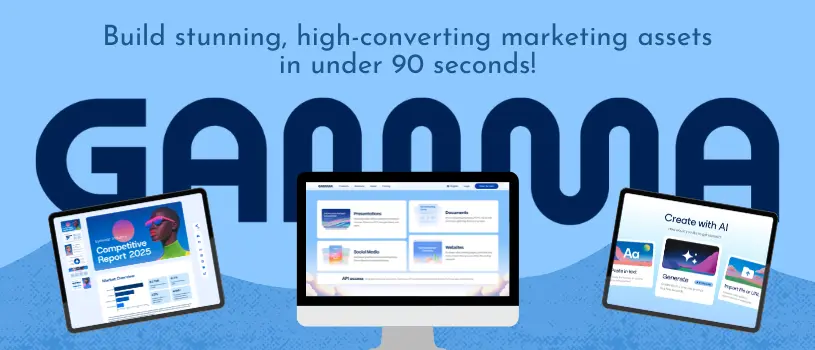
Once the research is solid, the next job is making it easy to scan and explore. A tool like Gamma can turn a long document into a structured, visual experience without needing design skills.
You can generate a polished layout from your notes in minutes rather than days.
Structure The Narrative Into Scannable Content Cards
Break long sections into short, focused cards instead of continuous paragraphs. Each card should cover one idea, like a single statistic, one local trend, or one actionable tip.
This mirrors how people actually read online: they scan headlines and pull out what matters to them.
Use Maps, Comparisons, Checklists, And Embedded Resources
Visual elements do more than decorate a page; they help readers understand information faster. Consider adding:
| Element | Best Use |
|---|---|
| Local map | Showing service areas or competitor locations |
| Comparison table | Side-by-side options or pricing |
| Checklist | Step-by-step action items |
| Embedded video or link | Deeper explanation without cluttering the page |
Mixing these formats keeps the guide from feeling like a single long article, even though it covers a lot of ground.
Add Purposeful Visuals With AI-Powered Image Generation
AI-powered image generation can fill gaps where stock photos feel generic or off-brand. Use it to create custom icons, simple illustrations, or local-feeling imagery that matches your brand’s tone.
Keep visuals tied to the content on each card rather than adding images just to fill space. Unrelated visuals slow readers down instead of helping them.
Publish, Distribute, And Improve The Guide
Publishing isn’t the finish line; it’s the start of a feedback loop. How you release the guide, promote it, and update it over time determines whether it becomes a one-time download or a long-term asset that keeps attracting local leads.
Tools like Gamma make it simple to try Gamma for free and publish directly from the same place you built the guide.
Choose Between A Shareable Web Page And A Downloadable Version
A web-based version loads instantly, works on any device, and lets you update content without re-sending files. A downloadable version feels more permanent and works well for offline reading or as a lead magnet gated behind an email signup.
Many guides benefit from offering both, with the web page as the primary experience and a download as an optional bonus.
Promote The Guide Through Email And Social Media Campaigns
Don’t rely on one channel. Break the guide into smaller pieces, a statistic here, a checklist there, and share them across email and social media campaigns over several weeks instead of one single announcement.
This approach keeps the guide visible longer and gives you multiple entry points for different audience segments.
Measure Engagement, Conversion, And Content Gaps
Track which sections people spend the most time on, where they drop off, and which calls to action get clicked. This data tells you what to expand, what to cut, and what questions your audience still has that the guide doesn’t answer yet.
Maintain Local Relevance With Scheduled Updates
Local data ages quickly. Set a recurring reminder, quarterly works well for most guides, to review statistics, update local examples, and check that every link still works.
A guide that stays accurate keeps earning trust long after its first publish date.
Resolve Common Source Access And Publishing Issues
Even a solid research workflow runs into technical snags. Knowing how to handle a few common issues quickly keeps your project moving instead of stalling out over a broken link or a blocked page.
Handle Source Pages That Require A Google Account
Some source pages route through accounts.google.com before showing content, which can interrupt a research session or a shared link. If a source requires a sign-in, note the source title, author, and date separately in your research file so you don’t lose the citation if the page becomes harder to access later.
Whenever possible, look for a public mirror or summary of the same data that doesn’t require an account.
Diagnose The Blocked By An Extension Message
A “blocked by an extension” message usually means a browser extension, like an ad blocker or privacy tool, is preventing a page from loading fully. Try opening the same link in an incognito window or a different browser to confirm the extension is the cause.
If the page still won’t load, disable extensions one at a time rather than all at once, so you know exactly which one caused the block.
Keep Source Records When Links Change Or Become Unavailable
Links break more often than people expect, especially on smaller local news sites or government pages.
To stay ahead of the game, keep a simple record for every citation. Jot down the original URL, the date you accessed it, and a quick summary of what it said.
This habit protects your guide’s credibility, even if a source page moves or disappears later on.