If you run local marketing reports for more than a handful of clients, you already know the real problem isn’t the data. It’s the rebuilding.
Every month you’re pulling numbers, reformatting slides, and rewriting the same intro paragraph with different city names dropped in.

A well-built template turns local marketing reports from a monthly scramble into a repeatable system that scales with your client list, not against it. The goal isn’t to make every report look identical.
It’s to separate the parts that stay the same (structure, sections, brand look) from the parts that change (numbers, insights, local context). Once you split those two things apart, reporting stops eating your team’s week.
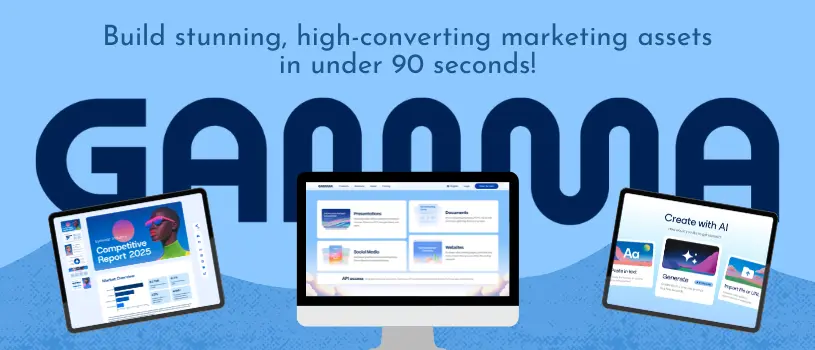
This guide walks through how to build that system, from defining what a reusable report actually needs, to setting up a template in Gamma AI that your whole team can use without starting from scratch every cycle.
Key Takeaways
- A repeatable local marketing report separates fixed structure from location-specific data.
- Building one strong template in Gamma AI lets your team customize reports fast without rebuilding formatting each time.
- A scalable reporting system depends on clear inputs, consistent design, and a review process that improves over time.
What Makes A Local Marketing Report Repeatable
A local marketing report becomes repeatable when you know exactly which parts change and which parts don’t. Most agencies waste hours because they treat every report like a fresh document instead of a fixed shell with new evidence dropped in each cycle.
Separate Fixed Narrative From Location-Specific Evidence
Your report structure, section order, and general explanations of marketing strategy should stay the same every month. The campaign results, local numbers, and specific recommendations are what change per client and location.
Think of it as two layers stacked together:
- Fixed layer: section headers, explanation of methodology, definitions of metrics, positioning statements about your agency’s approach.
- Variable layer: this month’s numbers, this location’s wins and losses, specific recommendations tied to that market.
When you keep these separate, your team edits data instead of rewriting paragraphs.
Define The Client Questions Each Reporting Cycle Must Answer
Before you template anything, list the questions your clients actually ask. Most local business owners want to know three things: did the campaign work, why did it work (or not), and what happens next.
Build your executive summary around those three questions every single time. If a section doesn’t help answer one of them, it probably doesn’t belong in a recurring business review.
Standardize Inputs, Metric Definitions, And Reporting Cadence
Reports fall apart when one team member pulls “leads” from a CRM and another pulls “leads” from an ad platform. Agree on where every number comes from and write it down once.
Set a fixed reporting cadence, whether that’s monthly or quarterly, and stick to it. Consistency in timing matters almost as much as consistency in content when clients are comparing reports side by side.
Design The Core Client Reporting Blueprint
A strong reporting blueprint works the same way a good client proposal does: it leads with context, builds a case with evidence, and ends with a clear next step.
The sections below break down how to structure that flow so every business presentation feels familiar to clients while still highlighting what’s new.
Start With An Executive Summary And Decision Context
Open every report with a short executive summary that tells the client what happened and what it means for their business. Skip the raw data dump at the top; save that for the body of the report.
Give the client just enough context to remember what decisions led to this month’s strategy before you show them the results.
Connect Channel Metrics To Local Business Outcomes
Local clients don’t care about impressions on their own. They care about calls, foot traffic, bookings, or leads that turned into actual business.
Every metric you show should connect back to something the business owner can picture, like more customers walking through the door or more phone calls booked. If a number doesn’t tie to an outcome, either explain why it matters or leave it out.
Turn Findings Into Prioritized Recommendations
Recommendations should never feel like an afterthought tacked onto the end. Rank them by impact and effort, and be specific:
- What needs to happen.
- Why it matters based on this cycle’s data.
- What resources or timeline it requires.
This turns your report from a summary of the past into a roadmap for what’s next.
Use A Clear Presentation Flow From Results To Next Steps
Your presentation flow should move in one direction: results, then analysis, then recommendations, then next steps. Jumping back and forth confuses clients and makes the strategy deck harder to skim.
Keep messaging consistent across sections so the story builds instead of repeating itself.
Build A Reusable Template In Gamma
Once your blueprint is solid on paper, the next step is building it into a real template you can reuse without starting from a blank page each time.
Gamma AI supports a few different entry points for this, and choosing the right one depends on whether you’re starting fresh, reusing an old report, or converting something you already built in PowerPoint or Google Slides.
Choose Between Report Templates, Duplicate, And Remix
Gamma.app offers a library of report templates you can start from directly, which works well if you’re building your reporting system from scratch.
If you already have a report you like, duplicating it keeps the original safe while you adjust the copy for a new client.
Remixing goes a step further by letting you restyle an existing report’s layout and design without touching the content structure underneath.
For agencies managing many clients, remix is often the fastest way to spin up a new template that still fits your original blueprint.
Create New From A Brief, Existing Draft, Or Imported Deck
The “Create New” option in Gamma gives you three real starting points. You can type a short brief describing the report you need, paste in an existing draft of your content, or import a deck you already built elsewhere.
This matters for agencies switching over from PowerPoint or Google Slides, since old client decks don’t have to be rebuilt from zero.
You can also learn more about setting up your workspace through Gamma’s presentation and document tools if you’re new to the platform.
Apply Brand Guidelines Without Rebuilding Every Report
Set your brand colors, fonts, and logo once at the workspace or theme level. Every new report pulled from that theme will automatically match your agency’s look, or your client’s, without manual formatting in Gamma each time.
This is especially useful if you manage multiple client brands. Save a separate theme per client so switching between reports doesn’t require resetting colors and fonts by hand.
Use Gamma AI To Refine Structure Rather Than Invent Evidence
Gamma AI is genuinely useful for tightening structure, rewriting section transitions, and cleaning up messaging. It should not be used to generate performance numbers or client-specific results, since those need to come from your actual data sources.
Use your AI credits for polish and clarity, not for filling gaps in evidence. The free plan gives you enough room to test this workflow before committing to paid credits for larger report volumes.
Adapt The System For Clients, Locations, And Audiences
A single rigid template rarely fits every client the same way. Some accounts need a full strategic breakdown, while others just want a quick monthly check-in, so your system needs built-in flexibility without losing consistency.
Create Controlled Variations For Different Client Tiers
Set up two or three versions of your core template based on service level. A basic tier might get a shorter executive summary and fewer detail pages, while a premium client proposal gets deeper analysis and more custom recommendations.
Keep the underlying structure the same across tiers so your team isn’t learning a new format for every account.
Balance Standardized Pages With Account-Specific Analysis
Most of your report can stay standardized: methodology pages, metric definitions, general positioning statements about your agency’s approach.
Reserve customization for the pages that actually need it, like local performance analysis and next-step recommendations.
This balance keeps production fast while still making each client feel like their report was built specifically for them.
Tailor Detail For Executives, Local Operators, And Marketing Teams
A business owner running a single local shop wants plain language and a short list of next steps. A marketing team at a multi-location client wants more detail on channel performance and comparisons across locations.
Adjust the depth of each section based on who’s actually reading it, not just what data you have available. The same core report can serve both audiences if you build in an executive summary up top and detailed appendices further down.
Operationalize Review, Delivery, And Improvement
Building the template is only half the system. The other half is how your team reviews it, sends it, and improves it month over month.
Use Real-Time Collaboration To Strengthen Quality Control
Real-time collaboration lets multiple team members check a report before it goes out, without emailing files back and forth. Have one person handle data entry and another review messaging and accuracy before it reaches the client.
This catches errors early and keeps quality consistent even as your client list grows.
Share Interactive Reports And Handle Export Requirements
Some clients want an interactive link they can click through; others still expect a PDF export or PowerPoint export for their own files.
Build your system to support both without extra work, since Gamma allows exporting a finished report in multiple formats from the same source file.
Decide upfront which clients get which format so your delivery process doesn’t require guessing each month.
Add Supporting Data, Video, And Connected Content Thoughtfully
Embeds, YouTube clips, or connected data views can strengthen a report, but only when they add real context. A short video walkthrough of a new landing page or a live embed from HubSpot can make results easier to understand than a static screenshot.
Use these sparingly. Too many embedded elements slow down the report and distract from the core findings.
Improve The Template From Client Feedback And Review Patterns
Track which questions clients ask after every business review. If the same question pops up again and again, that’s a clear sign your template needs a little upgrade.
Review your marketing reports as a team every quarter. Update the fixed layer of your template based on real patterns you notice.