Picture this: you walk into a coffee shop, sit down across from a local business owner, and open your laptop. You have ten minutes before they need to dash back to the counter.
This is the reality of pitching local clients: no long meetings, no second chances, just a short window to prove you’re worth the investment.
A well-built pitch deck can make or break that window. The fastest way to build one that actually lands is with an AI presentation builder that handles design while you focus on the story.
Local business owners don’t want a 40-slide manifesto. They want to see, in a few clean pages, that you understand their problem and know how to fix it.
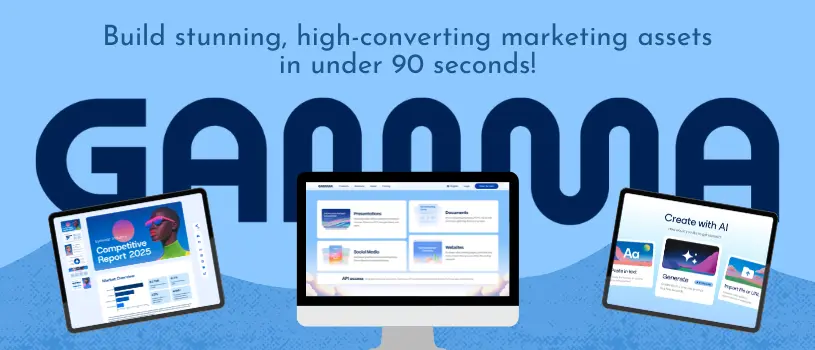
Tools like Gamma have changed how fast that kind of deck can come together. What used to eat a whole evening can now be finished over lunch.

This guide walks you through building a pitch deck that’s ready in ten minutes, without looking rushed or generic. You’ll learn how to structure the story, use AI to speed up design, and turn one deck into a sales asset you can reuse for weeks.
Key Takeaways
- A tight, well-structured pitch deck wins more local clients than a long, generic one.
- AI presentation tools can cut deck-building time from hours to minutes without sacrificing quality.
- The best pitch decks turn into reusable assets for follow-ups, team pitches, and client-facing pages.
Build a Client-Ready Story Before You Design
Before you touch a template, you need a clear story. A strong startup pitch deck or client pitch works because it answers three questions fast: who is this for, what problem are we solving, and what does winning look like.
Skip this step and even the prettiest slides will feel hollow, especially when a client starts asking about market size, ROI, or your product demo.
Define the Buyer, Problem, and Desired Outcome
Start with the person sitting across from you, not your product. Write down what keeps that local business owner up at night, whether it’s slow foot traffic, bad reviews, or a website that hasn’t been touched in five years.
Then connect that problem directly to an outcome they care about, like more bookings or higher repeat sales. Every slide you build later should trace back to this simple thread.
Choose a Lean Narrative for the Sales Stage
A first meeting deck should look different from a closing deck. Early on, keep the focus on the problem and your unique angle, using light case studies as proof points rather than deep dives.
By the time you’re closing, the narrative can shift toward numbers: cost, ROI, timelines, and next steps. Matching the story to the sales stage keeps the deck feeling relevant instead of recycled.
Turn Discovery Notes Into a Specific Brief
Before you generate anything, turn your notes from the discovery call into a short brief. List the client’s industry, their biggest pain point, one or two goals, and any numbers they shared.
This brief becomes your prompt later, and it’s the difference between a generic-sounding deck and one that feels built just for them.
Create the First Draft With an AI Presentation Builder
Once your story is clear, an AI presentation builder can turn that outline into a working draft in minutes. Modern AI workflows let you start from a rough prompt, an outline, or even an existing document.
Generative AI fills in structure, copy, and layout so you’re not starting from a blank page.
Start From a Prompt, Outline, or Existing Source
You don’t need a perfect script to get started. A short prompt describing the client, the problem, and the offer is often enough for an AI presentation tool to draft a workable outline.
If you already have notes in Notion, a proposal written with Claude, or an old deck, you can often feed that content straight into the tool. This saves time and keeps your voice consistent across documents.
Review the Outline Before Generating Slides
Most tools, including gamma.app, show you an outline before building full slides. Take the extra thirty seconds to check it.
Look for slides that don’t match your discovery notes or missing sections like pricing or a case study. Make sure the order matches how you actually want to present.
Fixing the outline here saves you from reworking finished slides later.
Use AI Workflows Without Delegating Sales Judgment
AI is fast, but it doesn’t know your client the way you do after a real conversation. Use it to draft language and structure, then edit anything that feels generic or misses the client’s specific pain points.
If you’re new to a tool, log in and run a test deck on a client you already closed. It’s a low-risk way to learn the workflow before you’re under time pressure.
Make Each Slide Earn Its Place
Every slide should do one job: move the client closer to saying yes. That means paying attention to visual hierarchy, data visualization, slide design, and how well the deck matches the client’s own brand.
Establish Visual Hierarchy for Busy Decision-Makers
Local business owners often skim a deck before they read it closely. Put the most important idea on each slide in the biggest, boldest spot, and keep supporting details smaller and lower on the page.
If a slide has more than one big idea competing for attention, split it into two slides instead.
Use Data Visualization to Make Results Credible
Numbers convince faster than adjectives. A simple bar chart showing before-and-after results tells a stronger story than a paragraph describing the same thing.
Keep charts simple: one message per chart, clear labels, and no more than a few data points per graphic.
Match Custom Branding to the Client’s Expectations
A deck that looks like it was made for someone else won’t build trust. Use custom branding, matching the client’s colors and fonts where it makes sense, so the pitch feels tailored rather than templated.
AI-generated images and AI image generation tools can help you fill gaps quickly, like mockups of a redesigned storefront or website, without hiring a designer for a first-round pitch.
Customize Proof, Pricing, and the Next Step
Generic proof kills trust fast. Local business owners want to see results from businesses like theirs, not abstract case studies from companies twice their size.
They want pricing and next steps spelled out clearly. You can find more detail on structuring this kind of client pitch through Gamma’s AI presentation platform.
Replace Generic Claims With Local Evidence
Swap broad claims for specific, local proof whenever you can. A short quote or number from a nearby business, even a small one, carries more weight than a big-name logo from a different industry.
If you don’t have local case studies yet, ask a past client for a short testimonial you can use. Even one sentence adds credibility.
Present Revenue Metrics and ROI Responsibly
If you’re citing ARR, MRR, or ROI numbers, keep them accurate and easy to explain. Avoid inflating results or comparing your work to unrelated benchmarks unless the comparison genuinely fits the client’s situation.
A simple table works well here:
| Metric | Before | After |
|---|---|---|
| Monthly Bookings | 40 | 68 |
| Average Ticket Size | $45 | $58 |
| Repeat Customers | 15% | 27% |
End With a Clear Decision Path
Every pitch deck needs a final slide that spells out exactly what happens next. State the price, the timeline, and the single next step you want the client to take, whether that’s signing a contract or scheduling a follow-up call.
Vague endings lose deals. Clear ones close them.
Share, Refine, and Reuse the Deck After the Meeting
The pitch doesn’t end when the meeting does. How you share, follow up, and reuse the deck often decides whether the client says yes days later.
Choose the Right Format for the Client
Some clients want a PPTX file they can forward to a business partner. Others are fine clicking a link.
Export as PowerPoint or PDF when a client’s team still relies on Google Slides or older software. Share a live link when you want to track engagement or make quick edits after sending it.
Coordinate Team Presentations Without Version Confusion
If more than one person on your team touches the deck, version confusion can quietly kill momentum. Working from a shared, cloud-based file instead of emailed attachments keeps everyone looking at the same version during team presentations.
Gamma.app, for example, lets teams edit in real time so nobody accidentally presents an outdated version.
Turn the Deck Into a Follow-Up Page
A pitch deck doesn’t have to end its life as a deck. Many tools let you turn the same content into a standalone page you can send after the meeting.
This gives the client something easy to revisit or share internally. The follow-up page can include the same proof points and pricing, refreshed slightly based on what came up in the room.
It’s a small step that keeps your pitch alive after the meeting ends.
Ready to scale your local agency without expanding your design team…